Step 01 of 04
Start and End Locations
Configure the Denver start location and the required destination.
2 locationsLoading
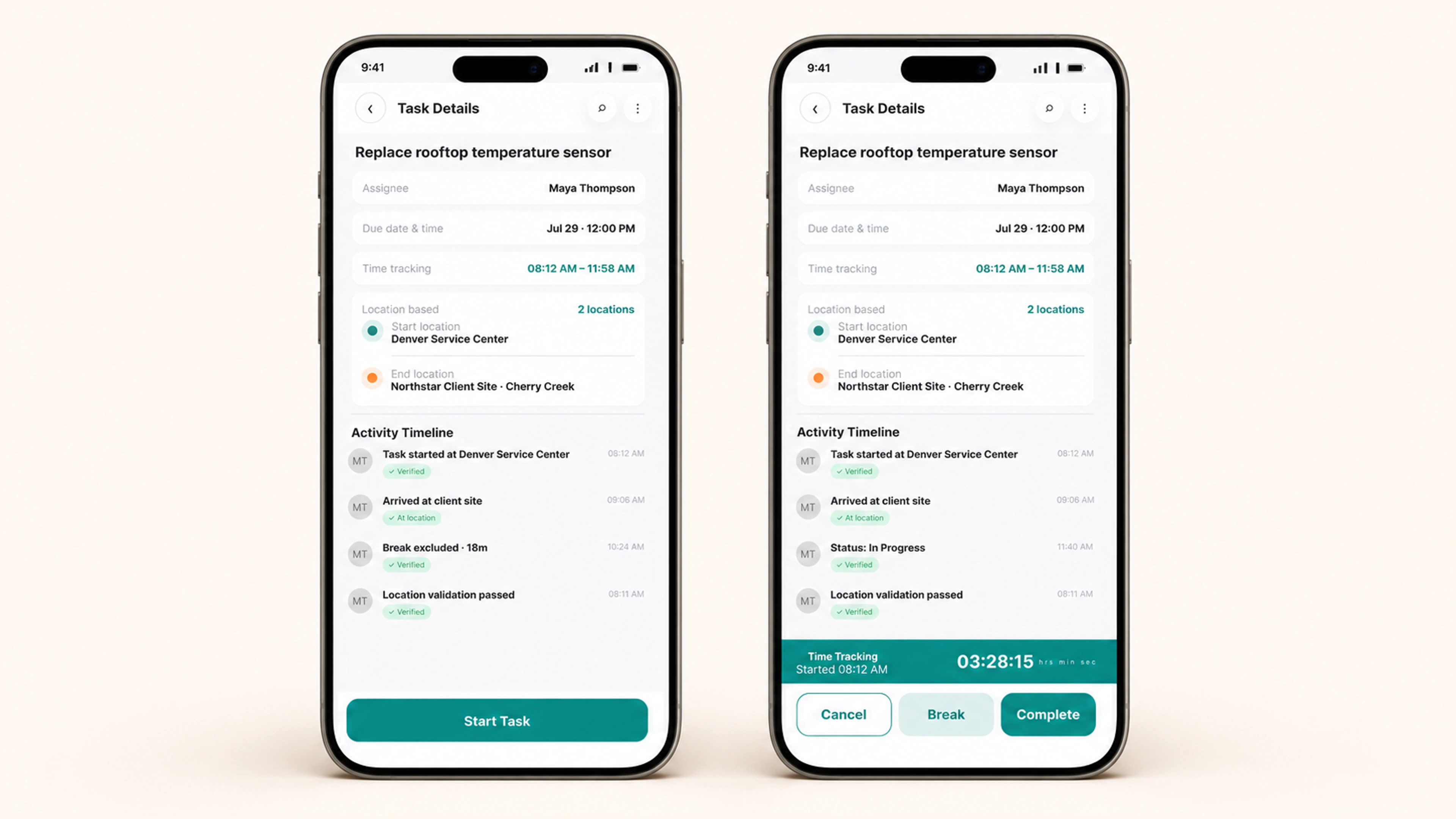
Set required start and end locations, verify each geofence, track exact task hours, and carry the completed route and time evidence into LiveOps and timesheets.
Instant value
Set the required start and end locations before work begins.
Begin work from the configured location and record the event.
Track running time, breaks, resumption, and completion.
Carry the completed time and location evidence into timesheets.
Place · proof · exact time
Validate where a task starts and ends, capture the hours spent, and pass completed activity into LiveOps and timesheets.
Configure the Denver start location and the required destination.
2 locationsConfirm task start and finish within each configured area.
Track the precise time Maya Thompson spends on the task.
3h28mShow completed task activity in LiveOps and the relevant timesheet.
Inside the product
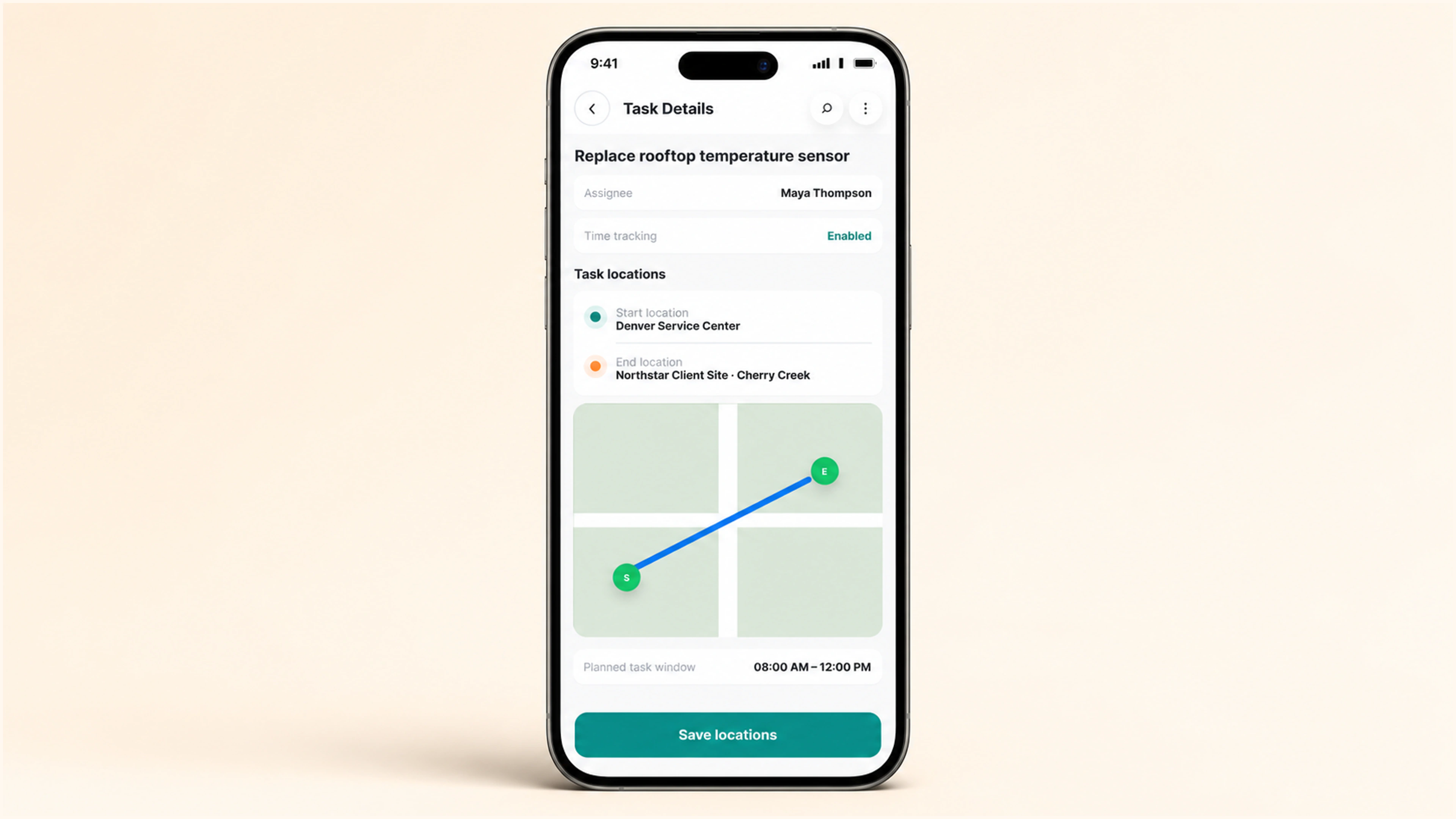
Define both task sites, enable time tracking, and show the planned task window and route so employees know where the assignment begins and ends.
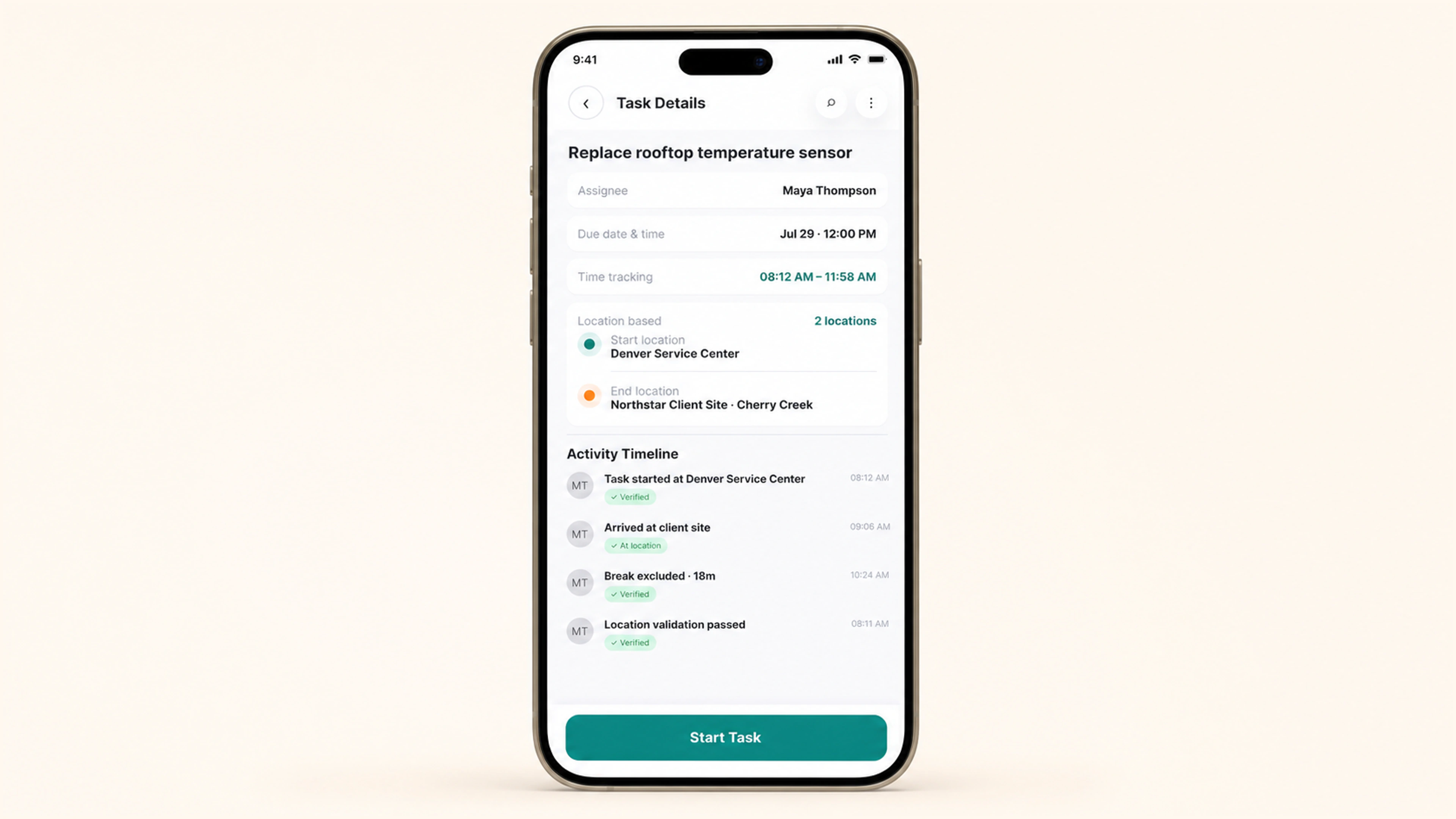
Incentify keeps the configured locations and the validation event visible in Task Details before the employee starts the task timer.
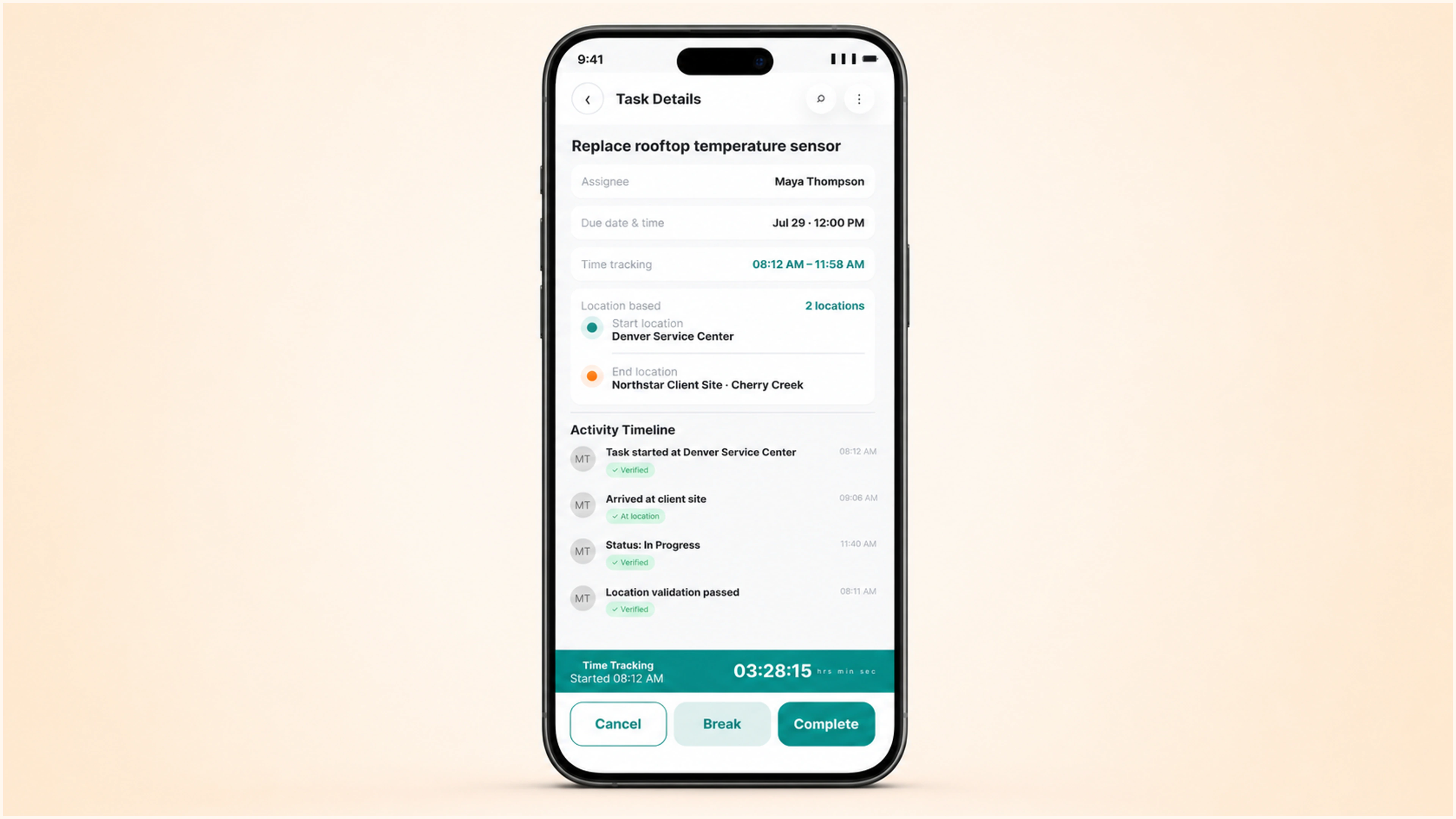
Employees can pause, resume, and complete the task while the exact tracked duration, break time, current location, and expected completion remain visible.
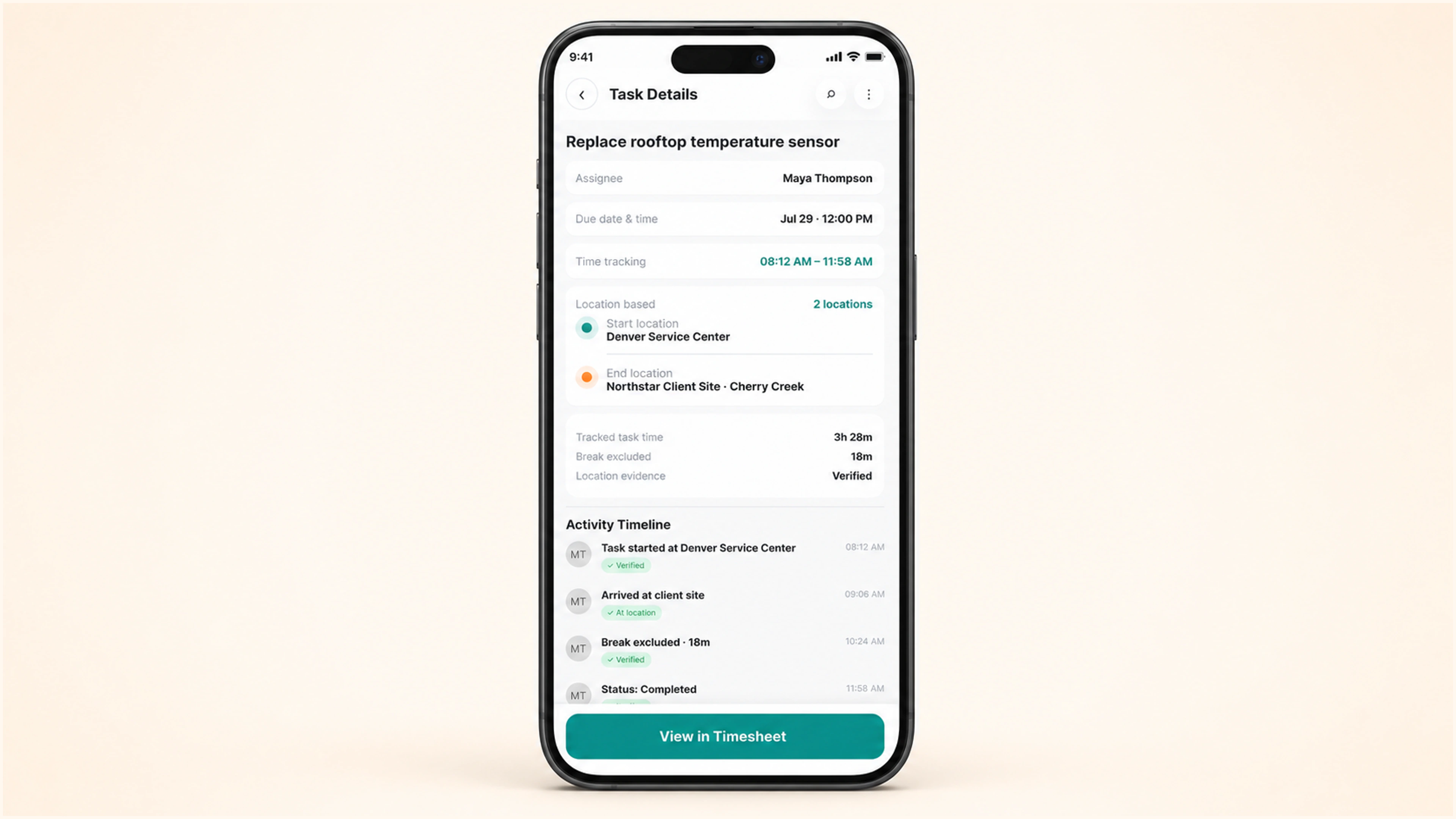
Completion reconciles tracked task time, the excluded break, and location evidence, then gives the employee a direct path to the linked timesheet.
Assign work clearly, automate recurring routines, review what matters, and reward completion—so your team delivers on time, every time.